PHONE SHORTCUT INSTRUCTIONS
iPhone Instructions
Step 1
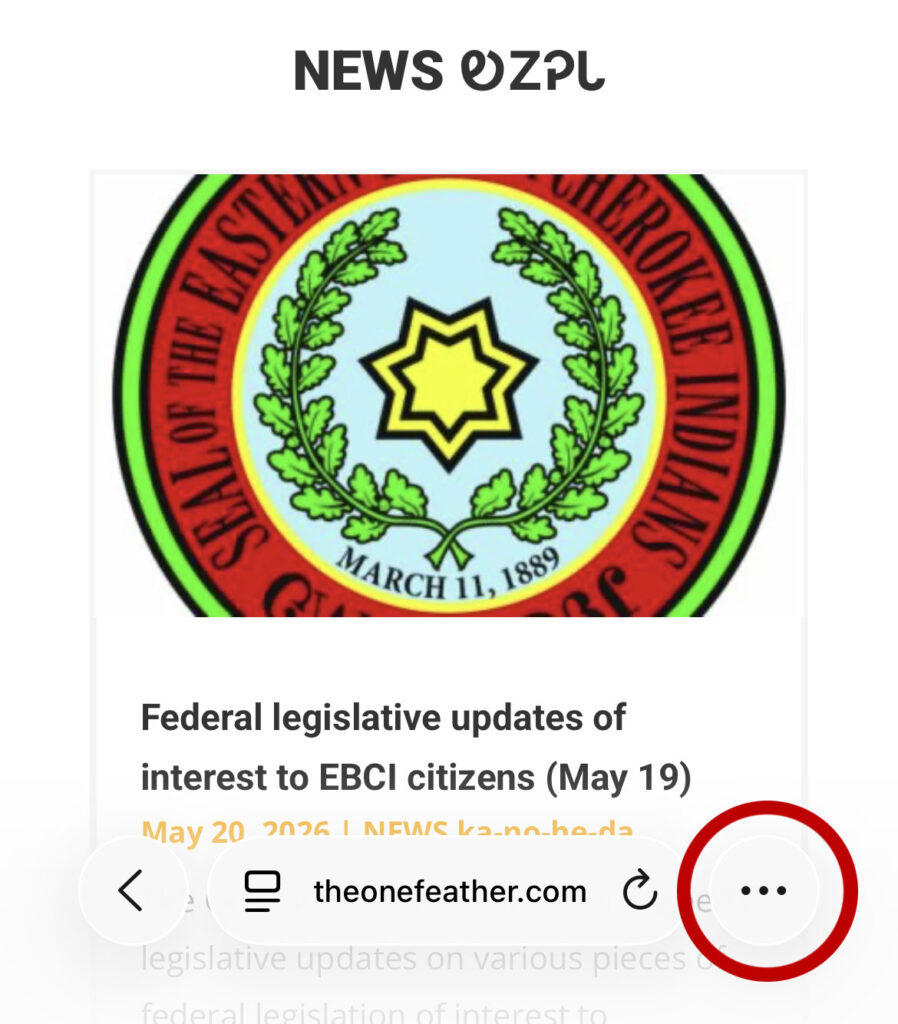
With the One Feather website pulled up on your iPhone, click the icon with the three dots (…), in the lower right-hand corner.
Step 2
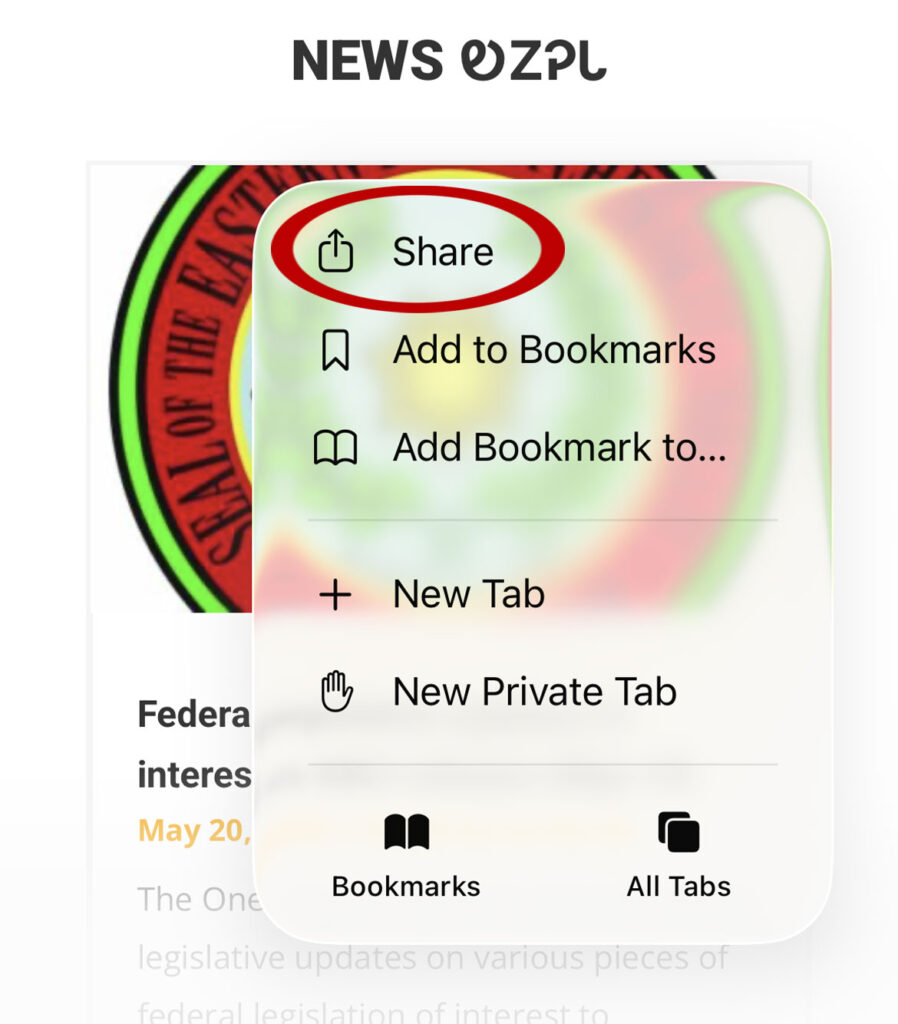
Click the “Share” option at the top.
Step 3
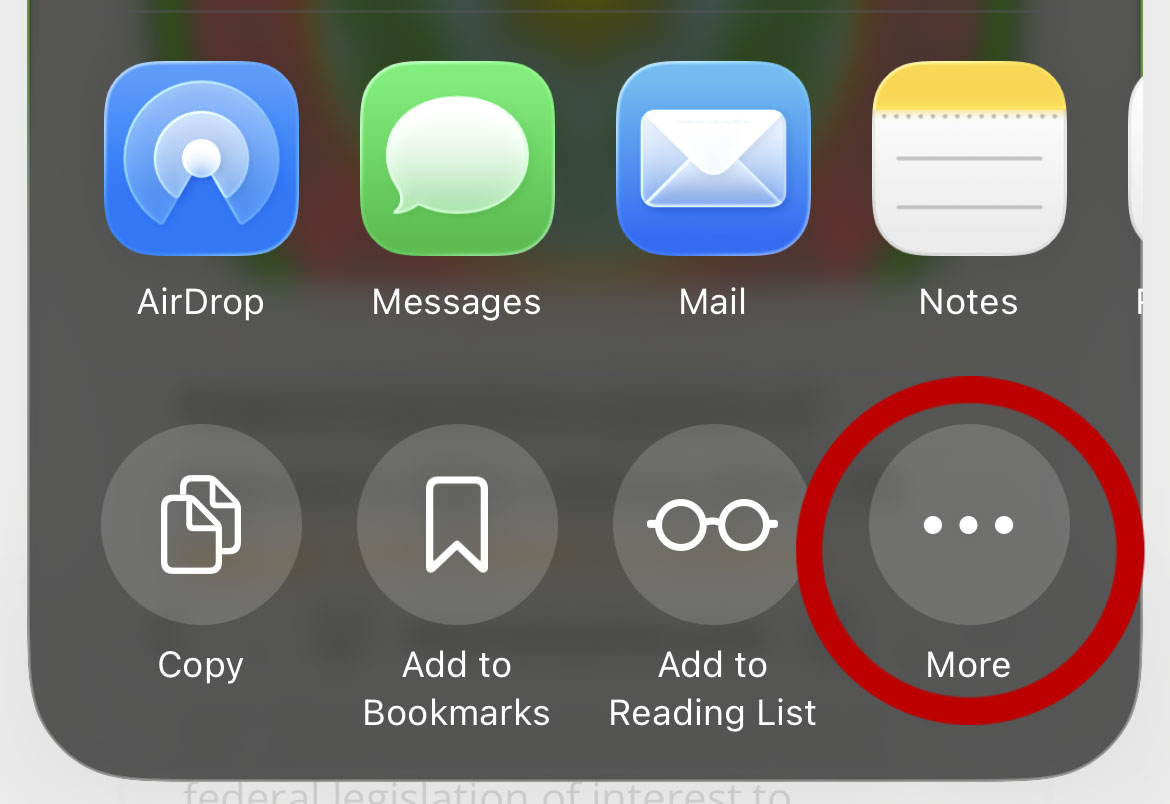
Click the “More” option in the lower right-hand corner.
Step 4
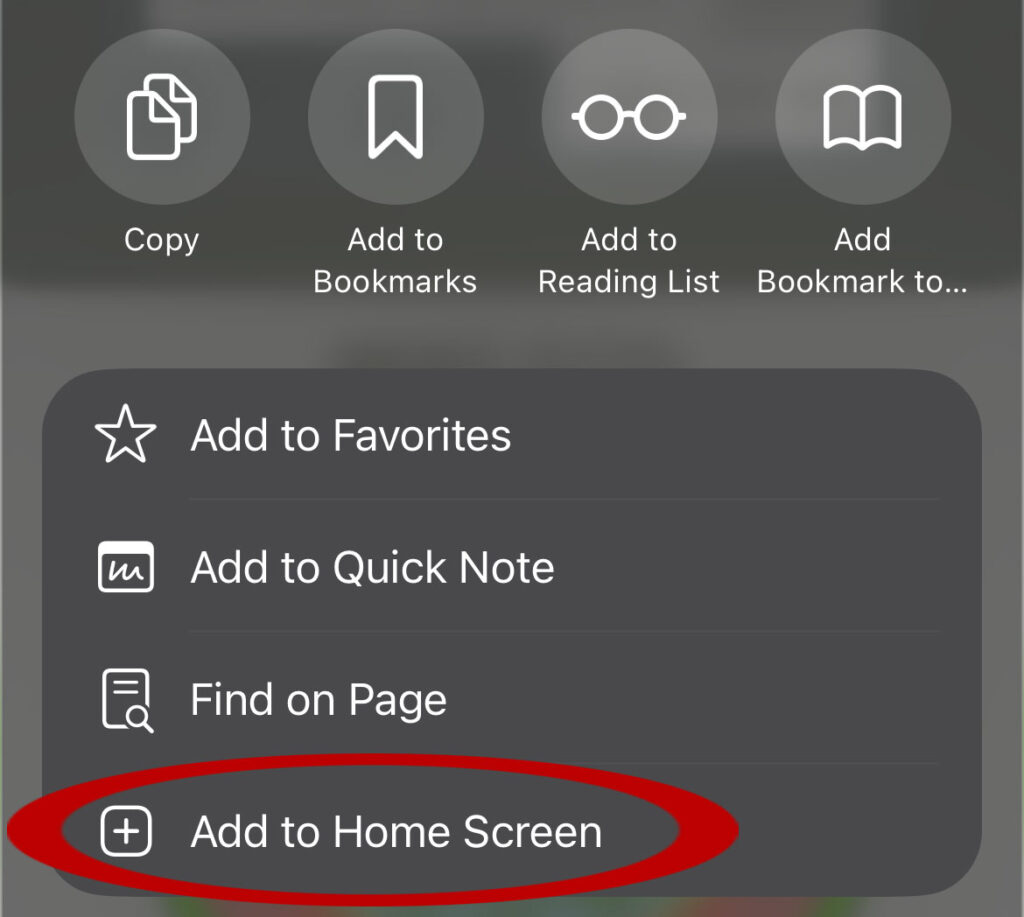
Click the “Add to Home Screen” option near the bottom.
Step 5
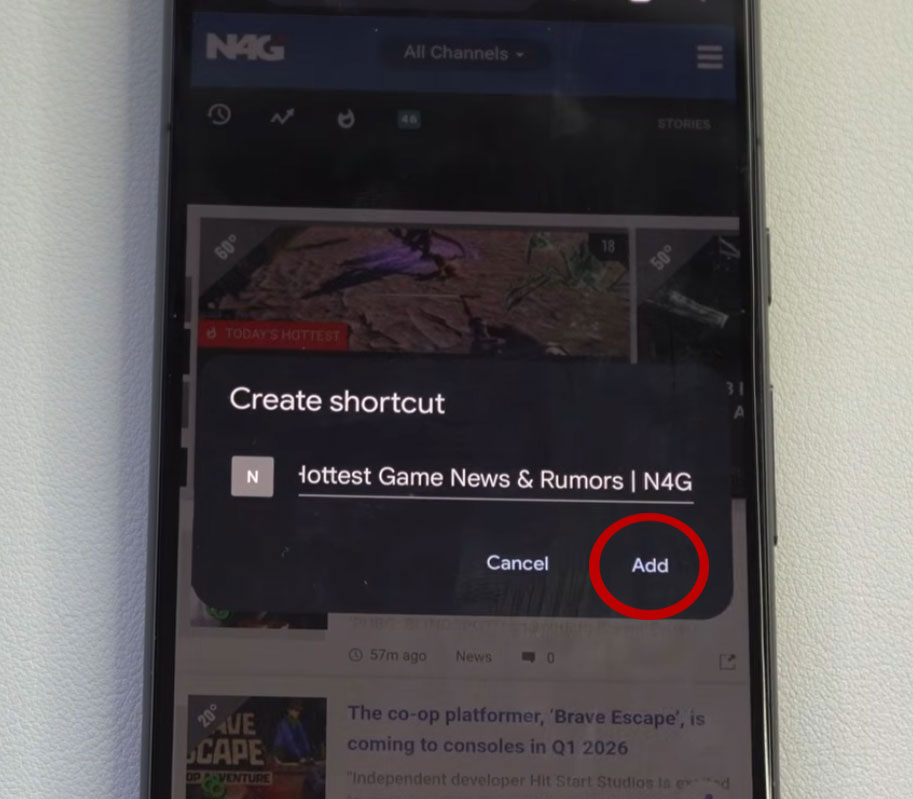
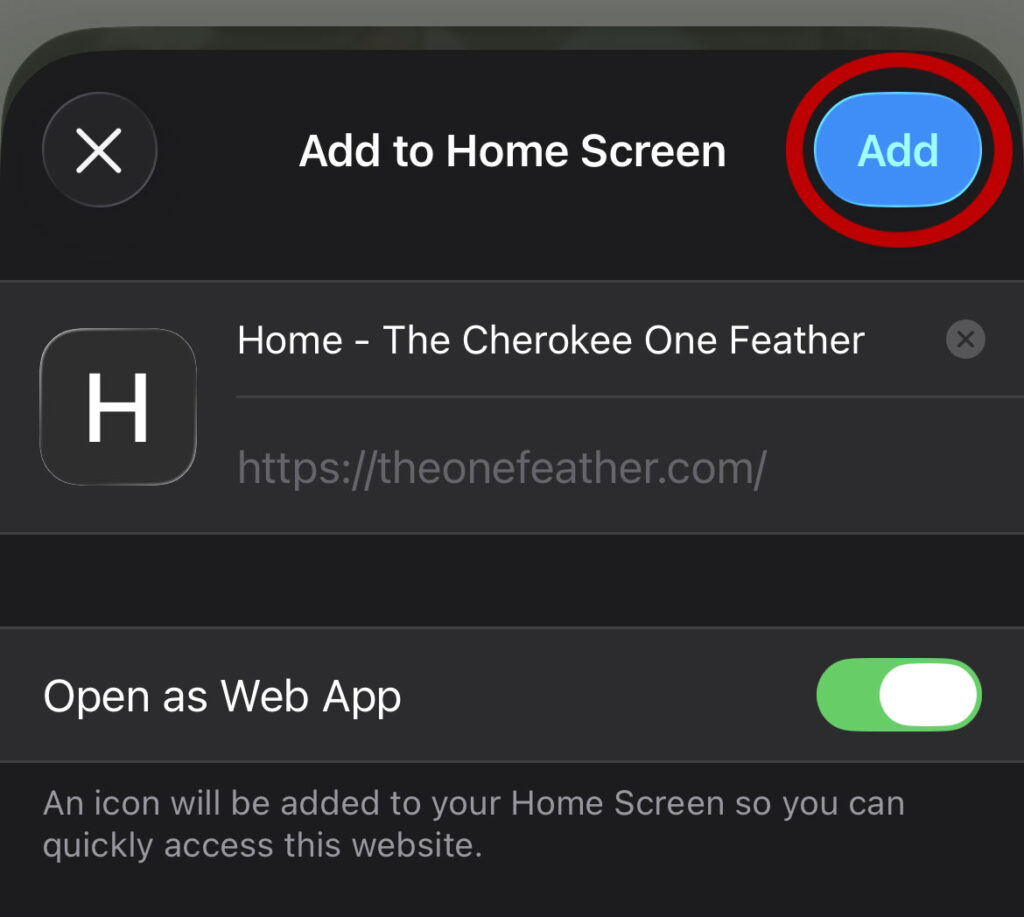
This will allow you to create a title for the Home Screen Icon. When you are ready, click the “Add” button. This will add a shortcut button on your iPhone’s home screen for the One Feather website.
Android Instructions
Step 1
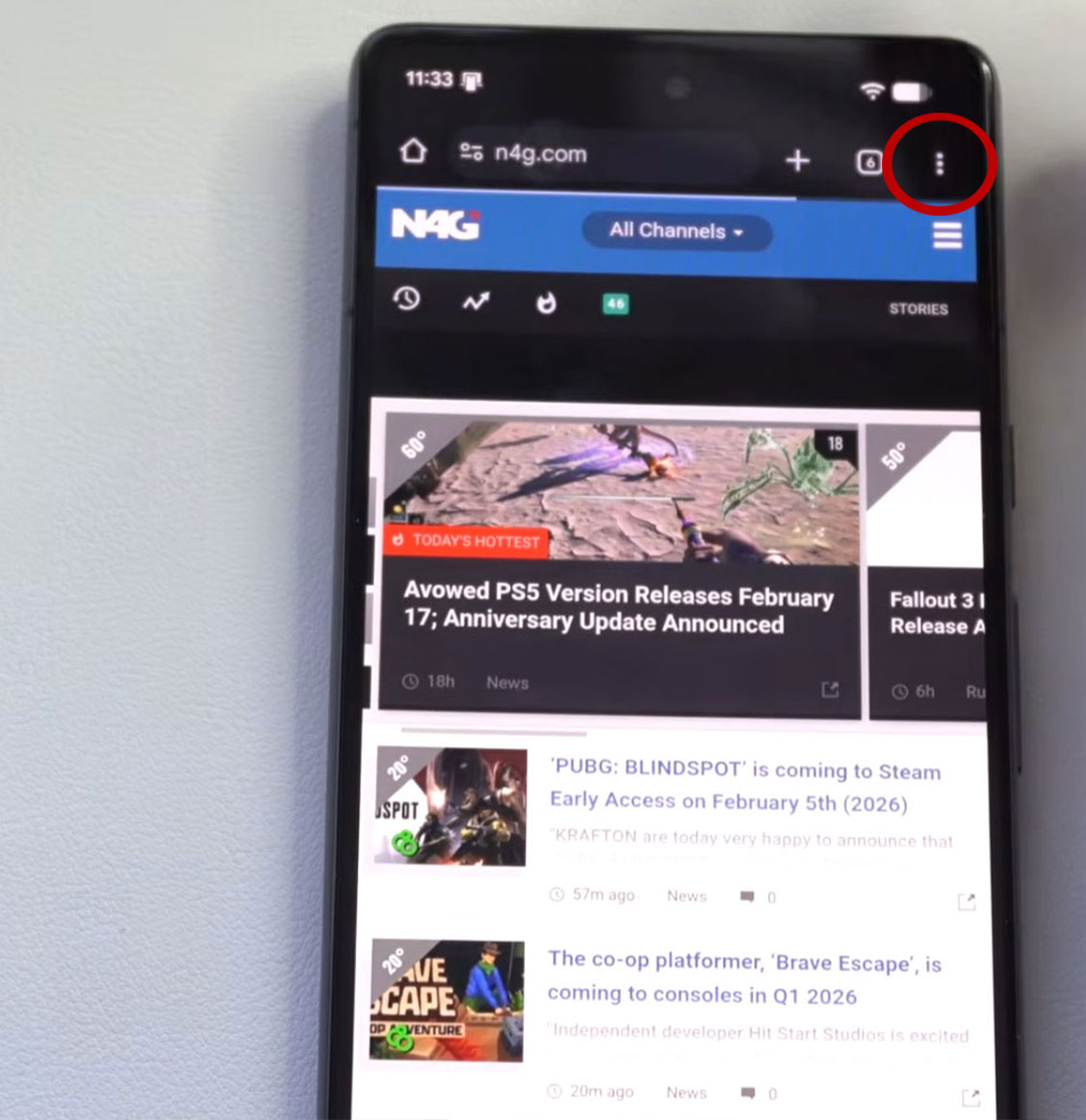
With the One Feather website pulled up on your Android, click the icon with the three dots (…), in the upper right-hand corner.
Step 2
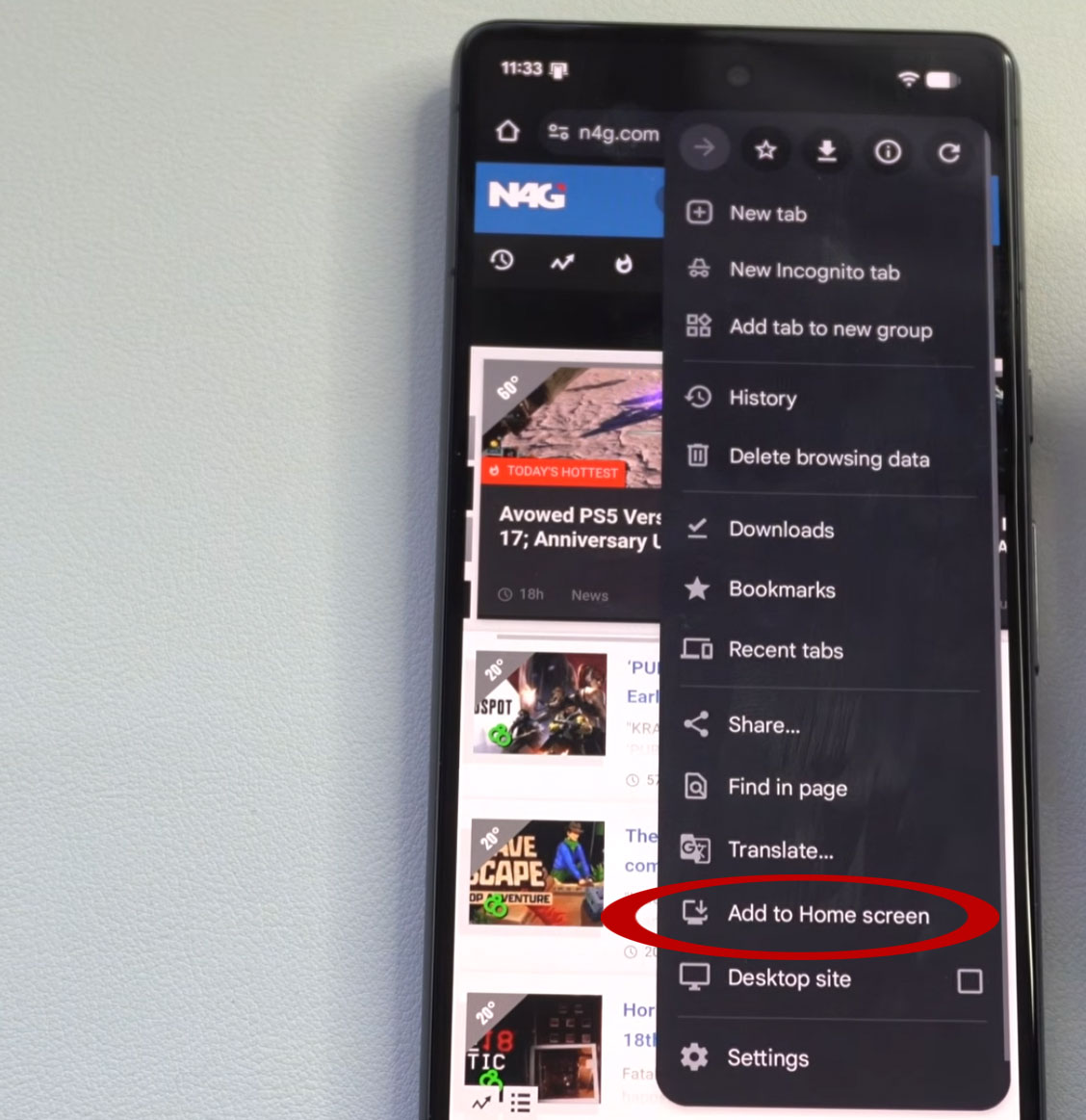
Click the “Add to Home Screen” option near the bottom.
Step 3
This will allow you to create a title for the Home Screen Icon. When you are ready, click the “Add” button. This will add a shortcut button on your Android’s home screen for the One Feather website.